
LLM相关摘录
LLM相关摘录
openai
prompt:
[1]提升ChatGPT性能的实用指南:Prompt Engineering的艺术
[2]GPT Prompt编写的艺术:如何提高AI模型的表现力|大淘宝技术
GPT-4 api、DELL-E、MidJourney接入:https://gitee.com/ageerle/ruoyi-ai
相关拓展
chattts:大模型语音对话 chatpdf:大模型文件查询 (目前看github实现,基本是RAG)
GPU
- 同一张GPU运行多个程序速度会变慢吗?: https://www.zhihu.com/question/307643863
- GPU利用率100%是什么概念?: https://www.zhihu.com/question/546633196/answer/2607824812
- GPU入门:https://qiankunli.github.io/2021/08/18/gpu.html
- NVIDIA GRID vGPU 深度解析: https://zhuanlan.zhihu.com/p/558156374
- GPU 大百科全书索引: https://zhuanlan.zhihu.com/p/546558690
- 生产环境如何混布AI业务:https://zhuanlan.zhihu.com/p/538017924
- 极致压榨GPU算力:开发、训练、推理 AI 全链路如何提效:https://zhuanlan.zhihu.com/p/541193561
- https://zhuanlan.zhihu.com/p/574146311
CUDA和GPU开发
- Nvidia CUDA Programming Guide
- 《CUDA By Example》--《GPU高性能编程CUDA实战》
学习路径:
- 第一步:通读《CUDA by Example》,运行书中的图像滤波案例。
- 第二步:用PyTorch实现MNIST训练,对比CPU/GPU速度差异。
- 第三步:参与Kaggle竞赛(如“Santa’s Workshop Tour 2023”),尝试用GPU加速特征工程。
- 进阶:阅读NVIDIA GTC大会技术演讲(官网存档)。
推理优化TensorRT
- TensortRT + ONNX:https://zhuanlan.zhihu.com/p/624722491
- TensorRT&Triton学习笔记(一):triton和模型部署+client:https://zhuanlan.zhihu.com/p/482170985
- https://xie.infoq.cn/article/a2d190fe3512632ea09c4bd39?source=app_share
- 利用TensorRT实现神经网络提速(读取ONNX模型并运行): https://mp.weixin.qq.com/s?__biz=Mzg3ODU2MzY5MA==&mid=2247484931&idx=1&sn=01c5017d9a53dc1a8b15b9507da45cfa&chksm=cf109e06f867171031bf4c011b152d269565fd645d253214bd02384b1dbbc2c18c7864f7578e&token=1497670325&lang=zh_CN#rd
- 官方文档:https://developer.nvidia.cn/tensorrt#section-%E5%BC%80%E5%A7%8B%E4%BD%BF%E7%94%A8-tensorrt
- torch-tensorRT blog: https://developer.nvidia.cn/zh-cn/blog/accelerating-inference-up-to-6x-faster-in-pytorch-with-torch-tensorrt/
- tensorRT blog: https://developer.nvidia.cn/zh-cn/blog/speeding-up-deep-learning-inference-using-tensorrt-updated/
- torch-tensorRT doc: https://pytorch.org/TensorRT/getting_started/installation.html#installation
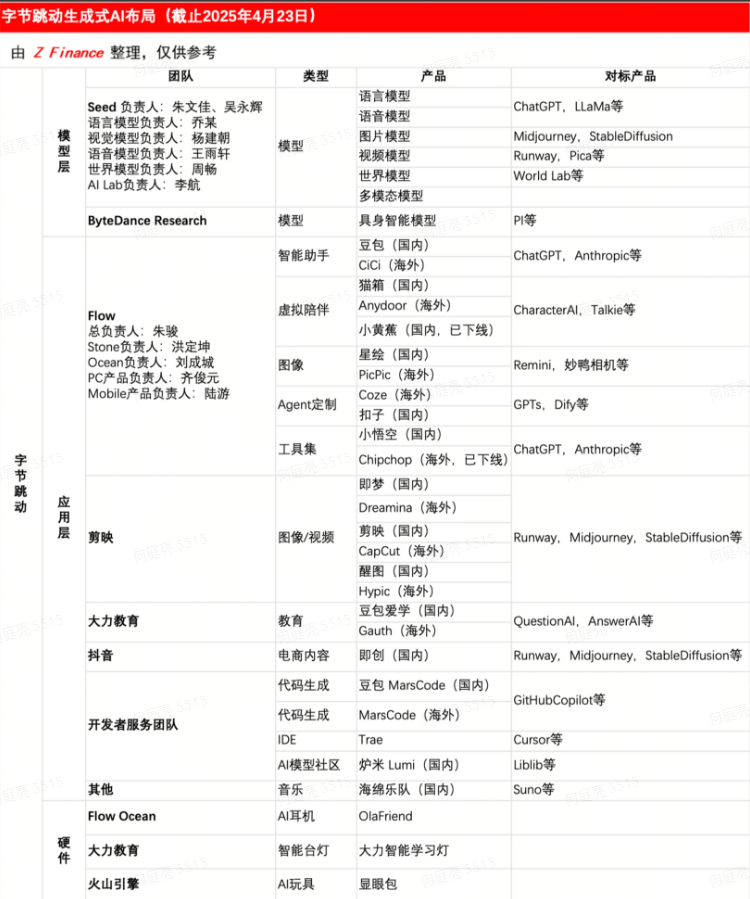
tt分工
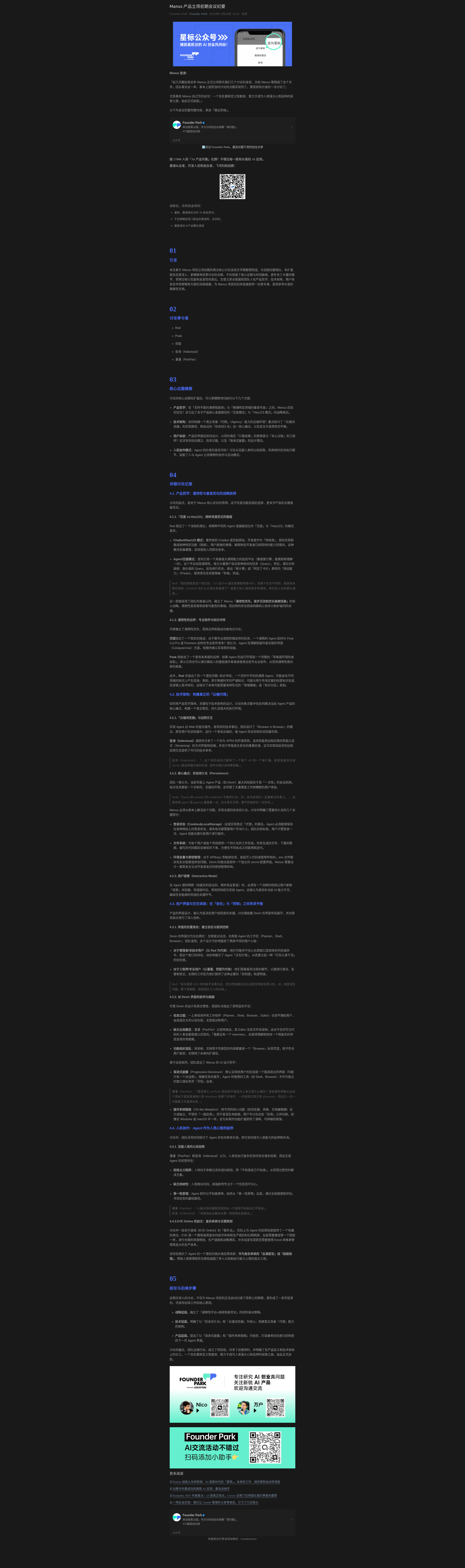
manus立项会议纪要
OpenClaw

OpenClaw vs Hermes agents

安装飞书CLI:
- https://bytedance.larkoffice.com/wiki/ILuTww7Xcimb6GkhH0mcK2f4nS7
- https://bytedance.larkoffice.com/docx/MFK7dDFLFoVlOGxWCv5cTXKmnMh